• You're one step from joining 3D Printing Forum – Filament, Resin, DIY 3D Printers & Troubleshooting.
    Create a free account to post, follow threads, and never miss an update.  Sign up free →

1st layer not adhering on Ender 3.

Morgan Demarigny

New member
Joined
May 30, 2025
Messages
3
I have tried leveling using different mediums- playing cards, business cards, nothing sticks. Gave it a very short spritz of spray adhesive and it made a mess and still didn't stick.
Using creality hyper series filament. have raised bed and extruder temps. The short piece of filament it came with worked better but was letting go on some infil parts of 1st layer
 
Hi, do you using glass plate or plastic plate? Filament material? I Has same 3D printer as your.

To leveling the printer plate use A4 paper. Don't be tight on the paper, very little to feel the resistand of paper is enough. Use brim to fasten better on plate under printing. https://all3dp.com/2/3d-printing-brim-when-should-you-use-it/

Keep plate warm up to 70 degree celsius and near max temperature to melt better into the plate in the first step to fasten brim on plate before adjust temperature a bit lower to preventing oozing the filament. To example between 180 - 210 for PLA filament, set 190-195 under printing and the plate lowered to 50-60 degree.
 
Hi- I am using the "COMGROW" plate. it has a textured frying pan finish. I am still understanding how the machine works. The complexity seems to be in getting machine setting right, then working on getting the sliced (?) model right, along with its settings. Lots and lots of settings.
 
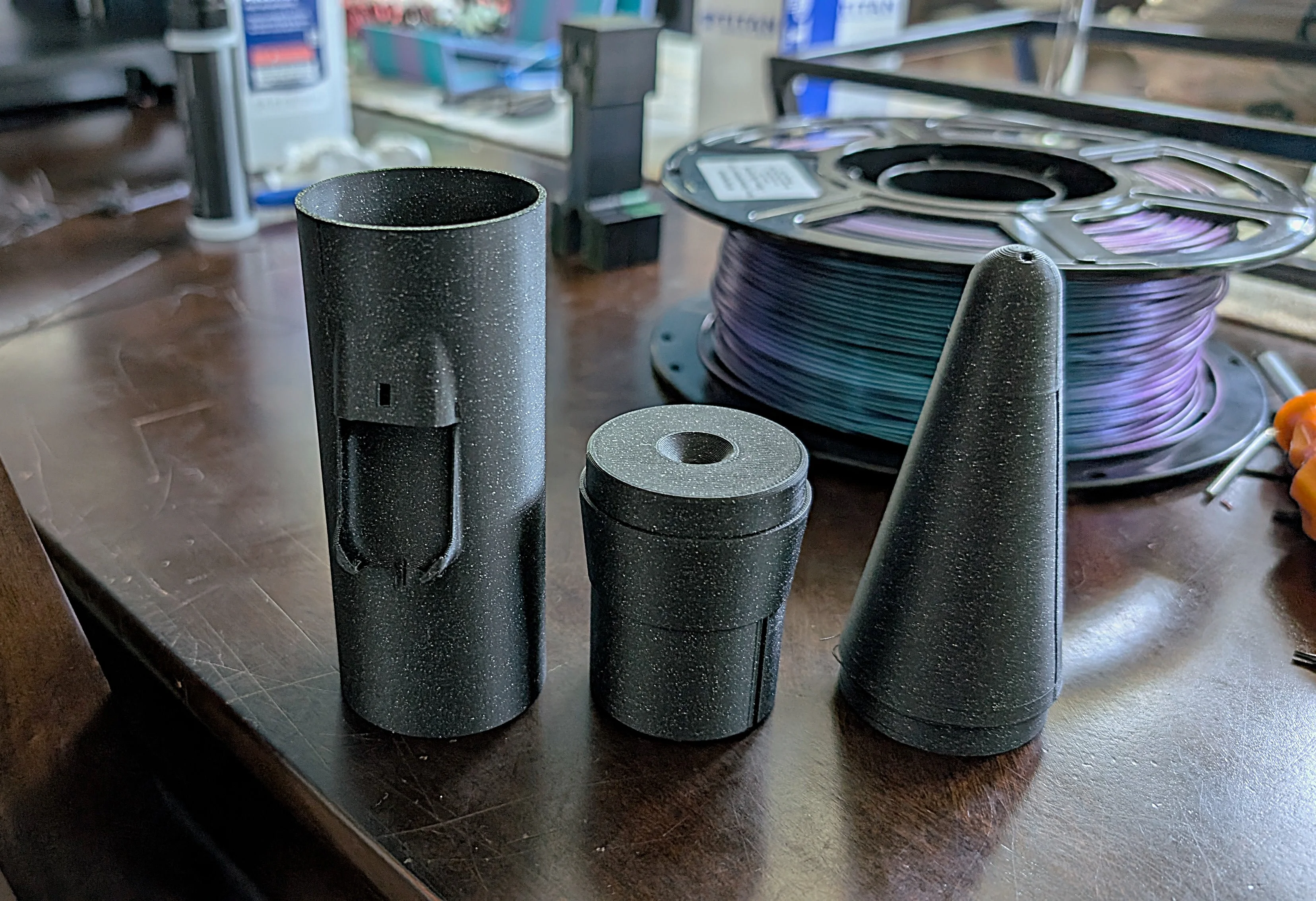
I am new to 3D printing after our younger son bought a couple. I was trying to print model rocket parts and he was out of town and after a few passes they would break free of the print table, it got frustrating. I did some googling and found out about table adhesive. I texted him and he told me he had some in an applicator that came with the printer. I applied it and then got the 3 pieces printed with only one failure. You can barely feel it after it is applied but it really did the trick. Two of the pieces had very little contact with the table but even on the solid contact piece it would break free after a few passes.
 

Attachments

  • CineAstrocam Parts.webp
    CineAstrocam Parts.webp
    1.2 MB
Last edited:
To keep that textured COMGROW plate in good shape, make sure to clean it using isopropyl alcohol between prints. For better adhesion with Creality filament, you might want to try using a glue stick or some hairspray. If you're having trouble fitting cards underneath, your bed could be too close, use the thickness of a piece of paper to help level it. Also, consider lowering the bed temperature by about 5-10°C and slowing down the first layer speed to around 20mm/s.
 
I completely agree! Using isopropyl for cleaning and fine-tuning the bed temperature and speed really does make a huge difference. The glue stick method is effective as well
 
I have tried leveling using different mediums- playing cards, business cards, nothing sticks. Gave it a very short spritz of spray adhesive and it made a mess and still didn't stick.
Using creality hyper series filament. have raised bed and extruder temps. The short piece of filament it came with worked better but was letting go on some infil parts of 1st layer
Try adjusting your first layer settings for better grip. Set the layer height between 0.2–0.28mm. Make your line width a tad wider than the nozzle, and slow that first layer speed down to 15–25 mm/s.
 
Good point, getting that initial layer just right is key. Going a bit slower and making the lines a little wider can really help things stick.
 
Back
Top